Showing posts with label animation. Show all posts

Friday, December 27, 2019

Slowmo, stop motion, and Animation in Math.

Explosion, Exploding, Pop Art, Boom I have been trying to think of ways to improve instruction and learning in my math class.  In math, we say if a student can explain their thoughts and how they came up with the answer, they are showing understanding but it seems to me that if they can create a video showing their thinking, that works.

Animation is a great way to create equations and move things around without you standing there and explaining every step. Instead, you can have the terms move on screen by themselves, or move to the proper spot.

I have used keynote to create animation showing how two shapes were congruent using transformations.  I used keynote because that is the presentation software I know well.  Right now, I am working on learning to use Google slides for the same thing.  I have several ideas I want to bring to life using animation.

1.  Instead of talking about slope, why not create animation so the word positive climbs diagonally up towards the top, then the word negative is going down to the starting level, the zero slope is a flat area and undefined is a cliff but I'm seeing the words appearing one letter at a time.


I made a quick animation showing the idea for slopes.  My students do not always stop to think about which slope is associated with upwards, downwards, flat, or straight down.  My art isn't the best so forgive me.  I used animation HD for kids.  It was free and so easy to use.


2.  Showing how to solve various equations using animation.  You can have the terms move or you could arrange for a train or other vehicle to move the terms around.  In addition, it is possible to put music in the background or voice over to explain why.

3. Stop motion can be used to show how the area of a circle comes from the circumference of a circle.   If you cut the circle into certain shaped pieces and rearranged, you can rearrange the sections into a parallelogram.

4. Students can create their own characters who talk about a problem on the board, each step done via stop motion or slow motions.


This video was made with Toontastic on my iPad.  I used the characters from it and the three part storyline.  It was an easy app to use.  If you notice, my characters spoke about slope in general as seen or experienced in real life.  It was not that technical in terms of finding the slope itself and it explored the idea that a slope could be positive or negative based on which direction you are going.

The above are just a few suggestions plus two short videos I made using two different apps.  Let me know what you think, I''d love to hear.  I hope these videos work properly.  Have a great day.


Tuesday, April 25, 2017

Animation

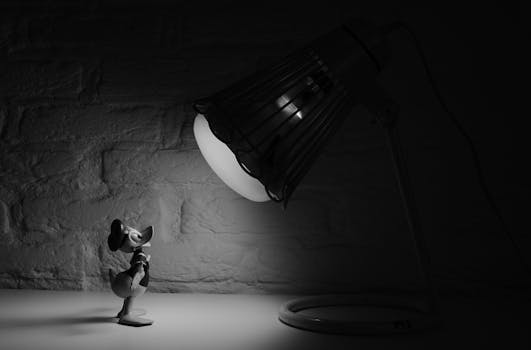
Free stock photo of black-and-white, cartoon, donald duck, spotlight

As you know, I teach the math of animation as one of my classes in high school.  I have been integrating Pixar in a Box from Khan Academy with actual math work.  Since this is a short week, I'm taking a bit of a break from teaching to let students create a short animation in the old fashioned way before computers.

I"m starting with a You Tube Video showing how Walt Disney people created the early animated films one slide at a time.  There is math involved in these early films.  Some of these early films used over 50,000 individual drawings. In addition, the pages have to be presented at a specific rate so the finished product looks great.

The going rate for most feature films was 24 frames per second and animated movies were created using this same rate. Now a days the rate is 30 frames per second to meet NTSC standards.  This means it takes 1800 frames to create one minute of animated film.  A five minute long film requires about 9000 frames. 

The original process required the best artists to make the main drawings with gaps in between so another person called the "inbetweener" could fill in the gaps making the action much smoother.  These first drawings were only of the characters, the background was added later.

The original process required people to plan the story ahead of time so they knew what was going to happen when.  This allowed the main artist to create the key action points so the inbetweener could provide the connecting frames.

I am going to have my students create a few seconds of film with the beginning of a story.  I plan to use my iPad to actually film each drawing so as to create the actual film.  I'd like to show these creations at the next assembly or at graduation. We'll see where the principal will let me do it.

Again, I'd love to hear your thoughts.  Thanks for reading.

Friday, December 2, 2016

Animation in the Math Classroom

Dancing Dave Minion, Minion Tim I am always looking for and playing around with ways to use animation, stop motion, and movie making in my math classroom because I have several students who would rather do something like that.  In addition, they enjoy watching animated clips showing how to do math.

So today I decided to look specifically at animation in the classroom today because the tools for creating animated videos has become more and more available.

According to an article on Creative Educator,  students who spend their time just memorizing material rather than understanding and internalizing it are less likely to create links between their prior knowledge and the new knowledge. Allowing students to create digital animation can help them increase their understanding of the topic.

Animation allows students to create their own unique meaningful connections to the material.  When they create animation, they have to make their own graphics which helps them implement their own visual mathematical representations.  In addition, they learn, understand, and internalize better.

Animation can meet the four conditions needed for effective learning by providing active engagement, group participation, frequent feedback, and connections to real world context.

I know from personal experience that you don't need to download anything special if you want to animate objects.  That can be done simply by using keynote or power point.  I generally use keynote to animate equations and such.

This is an example of animation I made using keynote for congruent triangles.


 I hope this works as I don't usually upload quicktime movies.  It is done keynote so it is animated.  Todo this, students have to create a storyboard, write a script, make it and export it.

As for using animation like cartoons, there are lots of free apps out there that provide the student with the ability to create characters who show each other how to do a problem.  I don't have one done at the moment but I have used animation to show the process.  I'll find those and share them with you at a later date.

Let me know what you think about this.  I'd love to hear from people.

Tuesday, April 28, 2015

Animated icons


I should know better than to read any technical books at bedtime.  I was reading a book on best practices for math teachers.  One of the chapters was bout giving students a lesson preview by creating an animated icon or a short animated look at what the students are doing that day.  So of course, I tried to sleep but around midnight I got up and downloaded two apps to my computer - animation for  kids and animator free.  I went back to bed and got up around two to create two short animations, one using each program.  I think I need to play with both a bit more but I am going to post both so you can see the results.
I created this for dividing fractions in Pre-Algebra. I used Animator Free
It left off the last slide but I still need to play with it a bit.
The second one I used Animation for kids and again I need to work with it.


I hope it works. IF not I apologize.  I am just learning.  I tried to find a link for the second one but have not had any luck.  If I find it I will add a link.