Showing posts with label QR codes. Show all posts

Friday, December 20, 2024

QR Codes: A Modern Tool for Math Class

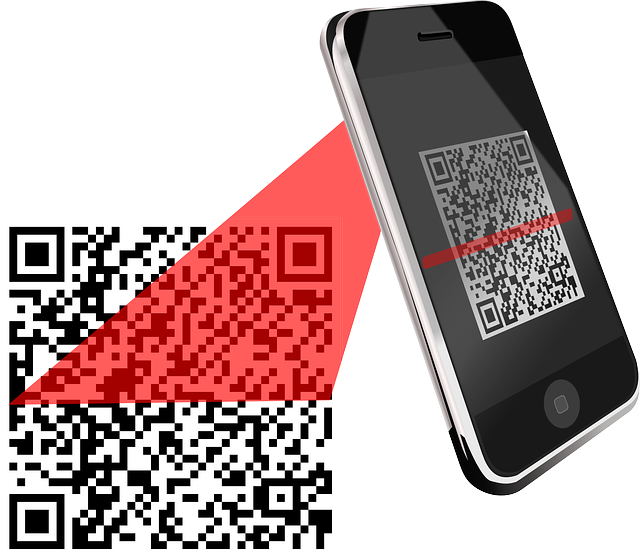
Free Qr Code Scanner vector and picture

 QR codes, those square barcodes that can be scanned with a smartphone, have become a versatile tool in various fields, including education. In mathematics classrooms, QR codes offer a dynamic and engaging way to enhance learning and assessment.   Even if your school prohibits the use of mobile phones in the classroom, QR codes can still be used.  So time to look at specific ways to integrate QR codes into the math classroom.

QR codes allow instant access to resources. Link  QR codes to online textbooks, worksheets, or interactive activities.Students can access these resources instantly on their devices.   Embed QR codes on worksheets or handouts to direct students to video tutorials that explain concepts in more detail.   Or link  QR codes to online math games and puzzles to reinforce learning and make practice fun.   

In addition, QR codes can be used for interactive learning activities such as in a scavenger hunt by creating  a series of QR codes placed around the classroom or school. Each code can lead to a math problem or a clue to the next location.   For self-paced learning design  a series of QR codes that guide students through a specific topic, allowing them to work at their own pace. Consider using  QR codes to facilitate group activities. For example, divide students into groups and assign each group a QR code that leads to a different part of a problem.

Furthermore, QR codes can be used for assessment and feedback.  Create QR codes that link to online quizzes or surveys. Students can complete these assessments independently and receive immediate feedback.   Or use  QR codes to link to peer assessment rubrics or checklists. Students can use these tools to evaluate each other's work.  Include QR codes on worksheets or assignments that link to reflection prompts or journaling activities.

If your classroom has mobile devices have students scan QR codes directly with their smartphones or tablets.   If student owned devices are prohibited in the classroom, you can provide  students with devices to access QR codes during specific activities if you have a classroom set of devices.  

For classrooms without mobile devices, use  QR code readers to project the content onto a screen for the whole class to view or print out QR codes and distribute them to students. They can then scan them using a computer or a smartphone.   If you assign homework, put a QR code in the corner with all the answers so students can check their work.

When you use QR codes in math class, ensure  that the use of QR codes aligns with specific learning objectives. Design activities that empower students to take ownership of their learning and use  a variety of QR code activities to keep students engaged. When using QR codes,  consider students with disabilities and ensure that QR code activities are accessible to all learners.  Always provide  clear instructions and support as needed.

By incorporating QR codes into math instruction, teachers can create dynamic and engaging learning experiences that cater to the diverse needs of their students.  Let me know what you think, I'd love to hear.  Have a great weekend. 

Wednesday, July 20, 2022

QR codes


I love using QR codes in class because they can be used for so many things and the majority of my students have a phone. The QR codes is a great way to share information between student and teacher, direct students to a specific web page, or share answers.  In addition, the only thing a student or teacher needs beside the digital device such as a phone, is the appropriate QR reader.

One of the ways I love using QR codes is when I have to send work home, I include a QR code in the corner.  The QR codes provides the answers so students can check their work.  If I want to provide a bit more, I put a second QR code that sends students to a website containing videos that show how to do the problems.

If I am absent, I love using QR codes to send students to the site where I've placed the videos they are expected to watch.  Sometimes I make the video, sometimes it is one that is made for someone else.  Either way, I can create the QR code and place it on a wall or in the classroom site online.  Furthermore, I can send the QR code home to parents so parents know where to send their children for additional explanations or tutorials.  

QR codes can be used to make word walls more interactive.  The QR code can provide definitions, links to videos or websites that provide more information on the word, or either teachers or students can create content via Adobe Voice or other program and the video is then attached to something like Aurasma so when scanned with a QR code it pops off the poster.  Furthermore, QR codes can be used to share student work with others to show their understanding.  A program such as QRStuff allows people to make QR codes with links to videos, websites, pdf files, and so many other types of content.  It is also free.

QR codes can also be used to create calendars so students know due dates, assignments, extra help, links, and so much more.  If you have assigned a project, you can use a QR code to direct students to examples of A, B, C, and D work so they know what they need to do if they want a certain grade.  In addition, the QR code can be used to link students to the appropriate rubric so students don't have to worry about losing their copy.

If you do stations, you can use QR codes for each activity or station.  The QR code contains the instructions for the activity and information on the activity itself.  The QR code can also provide links to the worksheet, video, website, or instructions for the activity.  Furthermore, QR codes can be used for warmups or exit tickets.  If you link the question to multiple choice answers, students choose one answer or they can create a QR code with their answer.

QR codes can also direct students to quizzes, forms, or polls that can be used as part of the class.  If you set up several QR codes around the room, students have the opportunity to get up and walk around so they get movement.  In addition, if you have students who have difficulty starting their discussion, use the QR codes to provide sentence stems that can be used to begin the conversation.

Make the gallery walk a bit more interactive by setting up papers around the classroom.  Each paper should have a QR code that leads to a question about say a graph.  Students read the question about the graph and they answer it on the answer sheet they have.  Or you could set QR codes around the room, each code has a different problem.  Students work the problems out on an answer sheet before moving on to the next problem.

Finally, use QR codes on a choice board so each QR code has information on what they need to do.  If you are wondering, you can use QR codes to help students carry out group discussions, collaborative activities, and so much more.  Let me know what you think, I'd love to hear.  Have a great day. 
Wednesday, October 5, 2016

The Math Behind QR codes

Qr Code, Scanner, Bar Code  I've noted that bar codes in the form of QR codes are invading our lives.  You see them in magazines, at the airport, on business cards, even at the airport.  I use them in my classroom when I want students to go to a specific web site so they don't waste hours trying to type in the correct URL.

Did you ever wonder how the information is stored in a QR code?  How do you read it? The Irish Times has a nice short article on bar codes and qr codes which is a great introduction to the topic.  They provide a bit of history on both topics including the original uses of both.

QR stands for quick response and can store way more data than a standard bar code.  In addition, it stores a wider variety of data than bar codes.  It states we can accept the accuracy of the reading of qr codes because when the material is coded it is coded using the Reed-Solomon error-correcting algorithm which is a sophisticated mathematical technique.


 Check out  M.E.I. who are innovators in mathematical education out of the UK have a great explanation on pg 3 of their monthly newsletter from 2012.  There is a picture with spots of color and a key to see what information is stored where.  In addition, page 4 suggests ways to use QR codes in the classroom.

 You can find additional information on structure, history, types of data encoded in QR's etc at this website.  This site does not really go into the math itself but gives a good overview with specific information on assorted facets of QR codes.

Since the Reed-Solomon error - correction algorithm is the math actually involved in creating accurate QR codes, lets look at it.  This site provides a nice introduction to the way it works but the concept is actually much more advanced than most of us teach in high school.

It turns out this particular concept is used with all sorts of storage devices such as DVD's, CD's, bar codes, etc, wireless devices such as cell phones, microwave links, Satellites, digital television and high speed modems.  In other words it has far reaching uses.

I found one activity that can be done by high school students which shows the basics of how the error correction works.  It is actually advertised as a magic trick but is still designed to teach error correction.  The seven page activity sets up code words and shows how the Reed - Solomon error correction applies to the situation.  The last incorporates math and show how the algorithm takes the information and uses it.

Any other materials I found, require more math than most of my students will ever have.  I want to teach my students about bar codes and qr codes near the end of the year when they start having summer fever.  Let me know what you think!


Saturday, September 26, 2015

QR Codes And Reviewing

Qr Code, Scanner, Bar CodeI have scheduled three math tests either this week or next week in various math classes.  Today, I realized I can run reviews using technology rather than the standard pencil and paper.  QR codes popped into my head. 

So I am going to set up a series of QR codes around the room.  Each code will have one problem.  The students can work out the problem and write the answer down in an app and once done, they can check their answers with the master sheet on my iPad. 

This activity will work with all three of the math classes who will be taking the test.  It will also help them prepare and it will require them to get up  and move around.  It is important to give students a chance to move around and to check themselves.

Speaking of helping students check themselves, I decided to give my Pre-algebra class a partner test. The partner test means that pairs of students will work together.  Each one will have different problems but the answer will be the same so if their answers do not agree, they know they are wrong.   I hope it helps students to take their time, not give up, and provide a chance for them to self correct before turning the test in.  That test will be given Friday.

Monday, October 6, 2014

Review, Homework, QR codes

I used to take time out of my teaching to review materials for the upcoming test and I would loose two or three days of valuable teaching time.  This year, I figured out that I could use warm-ups and homework to provide review for any upcoming tests.  In fact, I make sure that the home work has 10 problems similar to what will be on the test and I include a QR code on the sheet with the answers so students can check themselves.  If they do not get the correct answer, I can post a sheet with all the work up online so students can check it.  If a student does not have a device, they can come in and use an iPad to read the QR code or do to where I have the answer sheet.  Sometimes I even include QR codes that have the URL of videos they can watch at home or after school if they want extra help.  I like it when they have the answers on the sheets so they don't have to "borrow" the answer sheet. 
So far students are doing better overall on the tests I've given so far this year.  I think out of two classes, only one student has been unable to pass a section.  My tests are composed of 4 sections and if a student passes a section, they pass it and do not need to retake it.  They have a total of 3 chances to pass all parts of the test and they must make corrections before they can retake the test.  I feel my students learn more this way because they have to review the material before taking the test again.


Friday, September 26, 2014

Playing with QR codes and quizzes.

I currently use QR codes to hold the warm-up questions so students have something to do when they come in and I use it to put the answers on the homework but while giving a test today, I wondered if there was a way to use QR codes for students to relay their answers to me. 
I have used a QR code maker on the iPads in class with the students in the past.  I've asked a question or put a mathematical problem on the board and had them create the answer in that app.  I would use a QR code reader to check the answer as they left. 
Sometimes I would like to keep the information or receive all the quiz answers.  I need to find out if I can have them either e-mail the QR code to me, have it loaded up to schoology, put in dropbox or maybe use the airdrop feature to send the codes to me.  I am working on ways to save paper but I also wonder if requiring answers only is a good thing for Math.
On the other hand, I could have them download the quiz, write on it to show their work and then upload the completed work.  Gives me food for thought over the next few days.

Monday, December 2, 2013

The internet or lack there of.

I arrived at school this morning to find the internet was still down.  I was unable to prep by making QR codes for the warm-ups, I couldn't find the videos I normally use in class, couldn't print off anything or post anything to the web.  I didn't realize how much I use the internet to prep for class.  The only thing that I was able to use today was one of the games.  Due to a medical emergency, I had another class moved into my room and I let them play prime smash.  Several of the kids had so much fun with it.  Several others opened Garage Band and created music to enjoy while waiting for the medical emergency to end.  I heard some really awesome music being created with just a few instruments.  I am looking forward to having things back to normal. 
Tomorrow I am hoping to post the answers for the worksheet I gave the students today.  The answers had too many characters to post as a QR code.  Maybe I am going to have to post the sheet or post them to the classes in Schoology so the kids can check it on their own.

Tuesday, November 26, 2013

Last post till Dec 2nd

With the thanksgiving weekend starting tomorrow, I am not going to post till December 2.  I showed the kindergarten how to create a QR code so she could create a QR code with the url for www.ixl.com which has some great math material for pre-k and kindergarten.  She said the kids loved playing with the QR scan program but after a few times of doing this, they will start doing more of the math work.  She likes the site because the answers have sound since her kids cannot read the written material and the sound provides a verbal.
I also spoke with another teacher on ways she can have kids annotate a pdf file and be able to save the work in a safe location as we can neither use dropbox nor google docs.  I know she uses Edmodo so I worked out ways she can use that. 
On the other hand, I am working out ways to have my students take quizzes in a way so they can fill in a blank with the actual answer so I can do something other than multiple choice on the computer.  Since our state is going to be giving computer based tests starting in the spring, I need to get students used to taking tests that way, otherwise they may not do as well as they could.

Tuesday, November 19, 2013

Exit tickets

I know exit tickets are a great thing to use for the last few minutes of class after the students clean up. I have posed a couple of questions and had the students create a QR code with the answer but I'm thinking that instead of writing something I can have students play a short game on one of the apps I have on the iPads.  I think that giving a short time to play certain games will allow the students to enjoy a round without getting bored. I have a couple of students who have a very short attention span and easily give up if they can't win.  Using only the last 5 min or so would allow them to develop skills yet not get frustrated or bored.  I am hoping they will also learn.  I could make it the last 10 min and have them play the game, then create a QR code of what they learned from the game. 
Since my students are ELL, any chance I can have them speak or write will help increase their vocabulary development.  Yesterday, three students came up to the smartboard and discussed how to find the answer to one of the standardized test questions.  This is something they were not doing at the beginning of the year but now we have increased mathematical dialogues.  I am thrilled with the developing conversations.

Monday, November 11, 2013

Increasing QR code use

This week I have added QR code use in the classroom. First, I added a QR code to their homework which has the answers.  They still have to show their work but they have a way of checking their work. Second, I am using the QR code as their exit ticket. Today I am asking them to find their grade and create a QR code with that grade. This helps them become more familiar with making QR codes and it eliminates the 'I didn't know what my grade was!"  I plan to make the QR codes as exit tickets a regular event in my classroom.  Some of my students do not have a QR scanner on their mobile devices so they used the iPads to scan the QR code, find the answers to their homework and hand write the answers on their homework sheet.  I am happy they are taking some responsibility for making sure they get their homework right.
The next step is to get them to regularly look at what is due so tomorrow's exit ticket will be for them to look at the assignments list and write down what is due this week.  I am hoping by doing this on a regular basis, they will learn to be more aware of deadlines.

Thursday, October 17, 2013

Flash Cards by SAS and QR maker

Due to a unexpected short day today, I have been spending the period letting my students learn to use SAS Flash cards.  The hardest part was getting some of the students focused enough to follow directions  I like this app because they don't have to sign in to a web page and they can keep their cards on the iPad so their practice sets are accessible.
The app offers students two types of cards:  the math or the text.  The math cards allow students to input problems while the text allows them to input vocabulary or questions, add audio such as reading the questions, have the answer and a clarification.  Today I had students ask true or false questions about certain math vocabulary words and they put the definitions or explanations in the clarification section.  They can also make or import pictures/images to add a visual to the flash cards.  Once they finish making their decks, they can then run through the decks as a practice quiz or a regular quiz.  The practice quiz will show them the correct answer after each question while the quiz has the student going through the whole deck as if it is a quiz.
I am going to begin using the exit ticket activity on Monday as tomorrow is the end of the first quarter.  I will post a short question such as "What two things did you learn today?" and the students will use the QR maker to write the answer.  I'll scan their codes and then they will put the iPads away.  This will give them a chance to verbalize what they learned or might still have questions on. I am excited about using both Flash cards and QR maker next semester. 

Saturday, October 5, 2013

Additional uses of QR codes

I was sitting here thinking about how I could use QR codes a bit more effectively in class while giving them breaks here and there and not have to repeat myself over and over.  Right now, I use them for warm-ups and sometimes for sending them to web pages.  It just struck me that I could put QR codes with instructions for the next step in the class work, or what paper they need to collect from me.  Students, even high school students, need to get up once in a while and move to help them so they don't get restless.  Since I have my students sit and work in groups, I can have one person from each group go up to the QR code, read it and take back the information to their seat mates or follow the directions and collect worksheets from me.  Then for the next activity, have another student get up so there is not a mass clog at the QR code location. 
I can also use the QR codes as a ending class activity so they place the answer inside a QR code with their QR code maker app and I scan it as they clean up and put the iPads away.  It is a simple for me to scan their answers and check them.  I am planning to start sending homework home soon with a QR code embedded on the sheet with the answers.  They will still have to work the problems so I can see the process but they will know what the answer is supposed to be.  If you know where you are heading, it makes it easier to do the math problem. 
I know there are lots of places out there that discuss using the QR codes in the classroom but each class is different and your choice of how you use the codes will vary.

Friday, October 4, 2013

QR code Maker and updates

Today I had my students scan a QR code that gave them directions to QR Maker and a task to do with the application.  It is nice that the QR Maker will allow them to answer simple questions.  I just had them tell me what is the most important thing to remember?  They wrote their answers in the QR maker and I read the answers.  This is just a task so they learn to use the application. I am thinking of having some problems posted around the room, they do the answers and then record the answers only in the QR so I can check it later.  I plan to try it next week.
I am going to try Nearpod next week.  Due to extra things I had this week, I did not get the presentation finished so I am aiming for next Tuesday.  I look forward to trying it.  I spoke to another teacher who uses Schoology and she indicated that if the internet is sluggish, the kids might have difficulty using that app.  This is going to be fun.
A board member spoke to me of how paperless is the future and we should all be working towards that.  I have no problem once I get all the apps up and running so I can have that but until then, I have to use a certain amount of paper.  My fear is that it will be harder for someone to prove that they turned something in unless you can have it set up to generate some sort of acknowledgement of receipt. 
I saw a nice little item talking about introducing students  one app at a time so they learn to use the apps and not become overwhelmed by them.

Friday, September 27, 2013

Interactive notebooks part two

I and my students are finding out more about the individual notebook programs we are using.  For instance, Goodnotes allows my students to take both pictures and screen shots and import them into their writings so they can add annotations with their finger or with a text book.  Unfortunately SAS Notebook requires the students to use a scratch paper to bring in photos or other type of picture.  They can hand write annotations, comments, etc but we are still working on adding typing.  They cannot import the scratch paper material into the text page so students will require two pages.  For inkflow the students were helping each other figure out how to create examples using the geometry pad or geoboard apps, take and crop those pictures and import them to the page.  Every single student was on task in all three classes and it was fun watching students who are not normally engaged doing the assignment.  I have one period left and that is my 9th grade math class.  We are starting with popplet and they will do one or two rectangles/cards a day
The QR codes for warm-ups are going well and a couple students asked me why I was not doing the practice standardized test questions via QR code.  I told them I"d try it for next week and the kids are buying into the technological integration.

Wednesday, September 11, 2013

First full day of iPad integration.

Overall, it went quite well.  I had the students come in and scan a QR code after getting their iPads.  They actually sat down and did the warm-up nicely.  Once we'd gotten over the beginning part of class,  I took time to let the students explore the apps, Gloss and my script calculator.  This took about 10 min out of the period but it was worth it because we then worked on doing one word problem.  We started by listing what we know, what do we have to find and what do we have to think about to answer this question.  It was awesome the way the students worked when I said they had to work in pairs and use one or the other or both apps to solve it.  I saw some really awesome discussion.  I have one period that went to a site to take a test I created and then they read up on-line about square roots.  Tomorrow, all students will be watching a video on the material they are learning.  I see some great things happening with the iPads in my classroom. I did have one student who thought the iPad was a wonderful toy because he took 135 photos during class and he'll discover he'll have a problem tomorrow when we use the iPads......LOL

Monday, September 9, 2013

NASA space math problems

I forgot about NASA space math problems until I got one of their regular updates in my e-mail this morning.  The latest problem is Problem 607: The Launch of LADEE to the Moon.
The description is :
Students plot the altitude, range and speed of the LADEE rocket launch and investigate rates of change including acceleration by graphing the tabular data and determining the slope of the graph using the definition of the slope of a line between two points.
This is a wonderful example of rate of change in a real situation where students can try it themselves.  The material NASA offers covers grades 6 to 12 and has all the past problems available for use along with some other items such as a space math book for grades 6 to 8 which is a standards based with multi-media math resources. 
The information is in PDF form so I can bring it into an app like subtext to interject questions, tags, activities, etc.  Most will require use of a calculator/graphing app, a drawing or note app and they could place their answers into a QR code to turn in.  Hmmmm the possibilities.

Saturday, September 7, 2013

I am trying something with QR codes

Yesterday the iPads were delivered to my room and I finished training on using Apple Configurator so I can add and delete apps as I need to.  While I was adding a few apps this morning, I wondered why I couldn't set up my warm-up questions as QR codes so students would immediately get the iPad out and start working while I am taking and record roll and  get my Smartboard up and running.  Up to know I've had to juggle the white board with the smartboard so I could take and record roll on the same computer that is connected to my Smartboard.  I had to go over to school this morning, so I set up the warm-ups in a QR code for Wednesday to try out.  We have an inservice scheduled for Monday and Tuesday so I cannot try it till Wednesday.  In fact, for my first period class I have QR codes set up for them to take an online quiz followed by reading up on simplifying square roots.  I am hoping this make the flow of class better and has the students stay more occupied.  I'll report back on how well it goes and in the meantime I am going to work on becoming more knowledgeable on SubText and nearpod.  I want to use both in my class.

Thursday, September 5, 2013

More thoughts on QR codes

It looks like I'll get the iPads for my classroom within the next day or two.  The tech dept wants my list of apps for the classroom set and I decided to have a QR reader and a QR creator app installed.  I am also thinking of requesting students make sure they have installed a QR reader on their personal devices because the iPads are shared.  The reason for this is simply I am tired of repeating the assignment or pointing to where I have the assignment posted on the board.  I am hoping that by making using QR codes, the students will learn to keep the assignment on their devices or the classroom iPads so they can refer to the information each day.  Maybe they'll check as frequently as they check their phones for text's from their loved ones......LOL
On the topic of QR codes, I found a wonderful collection of suggestions for using QR codes in Education that I plan to explore this weekend.  It is nice having so many items in one place instead of trying to search the web.  Three headings that have gotten my interest are:
1. Implementation of QR codes in the classroom.
2. Using QR codes in student projects.
3. Using QR codes in homework.

I've used QR codes before to send students to specific websites that have work or a reading for them and to list an order of activities I want them to do in class.  So this is a way of learning more ways to use QR codes.  I do not have to reinvent the wheel.

Wednesday, June 5, 2013

More on centers

I have been giving some serious thought to using iPads with centers.  I have a book with printed instructions for using centers in Algebra I and ll, geometry and pre-algebra.  I can scan the various activities into PDF form.  If I have an app on the iPad that allows the students to read and write the answers on the file, they can then send it off to me so that I can grade it.  By using centers, I can increase their group activities and hopefully decrease their dependence on me. I look forward to trying this.  If I store the pdf files in the school wiki, I can use a QR code to send them to the proper page, provide instructions and any additional information.  I am trying to change the main focus from teacher oriented to student oriented.

Friday, May 24, 2013

Thoughts on the volume app

I have given some thought to the best way to use the volume app I mentioned a few blogs ago.  The videos are well done but it has a mechanical voice which may make my students dislike the videos  I am going to create a set of questions to answer as they watch the videos  This way they have to actually pay attention to what is being watched.  I am also going to include some problems based on the material in the videos so they have to attempt to work some problems to see if they understand the process. When they are done, they can check a QR code to see if they get the answers correct.  I am going to use those QR codes more often beginning in the fall. 
I am now on holidays but will spend the summer actually writing lesson plans and units with more integration of the iPad.  As I come up with ideas and plans, I"ll share the information with my readers.  I will be starting Monday and hope to post something from then.